Skip to content
SCRAPMECHWIKI · 1.0 Database

Wiki, database & tools for Scrap Mechanic 1.0

Scrap MechanicBuild smarter. Survive 1.0.

Search 992 current items, trace 736 recipes, plan exact materials, and get practical answers for Scrap Mechanic 1.0.

Open crafting planner4 tools · Runs in your browser
992entities
736recipes
46quests
11official languages

Tools built forreal decisions

Plan, inspect, predict, and navigate with current Scrap Mechanic 1.0 rules.

Crafting planner

Set quantities and routes, then expand whole batches and subtract materials you own.

  • Rounds every target up to whole recipe batches automatically
  • Subtracts the base materials you already own
  • Compares stations, trade routes, and schematic-gated paths
Plan build materials
Build goalsStation: Craftbot
Clay Gun iconClay Gun×1
Ingredients
Metal Block Level 2 iconMetal Block Level 2×50
Component Kit iconComponent Kit×10
Cable Roll iconCable Roll×10
60sec

Blueprint BOM Analyzer

Open a local .blueprint file to count official blocks and parts, joints, controllers, containers, stored items, and paint colors.

  • Counts blocks, parts, joints, controllers, and stored items
  • Breaks down paint colors and container contents
  • Parsed locally — your file never leaves the browser
Analyze a blueprint
greenhouse.blueprintBOM
Bearing iconBearing×24
Metal Block Level 1 iconMetal Block Level 1×128
Controller iconController×2
Water Container iconWater Container×2

Raid Calculator

Enter crop counts and one to four players to calculate plant value, the exact raid tier and bot budget, the opening pool, and a weighted enemy forecast.

  • Turns crop value into the exact raid tier and bot budget
  • Scales for one to four players under the 1.0 rules
  • Separates guaranteed results from probability forecasts
Calculate a raid
Pineapple icon×4Broccoli icon×2Orange icon×55,500
Level6
750×2
HaybotGreen TotebotTapebotFarmbot

Scrap Mechanic Interactive Map

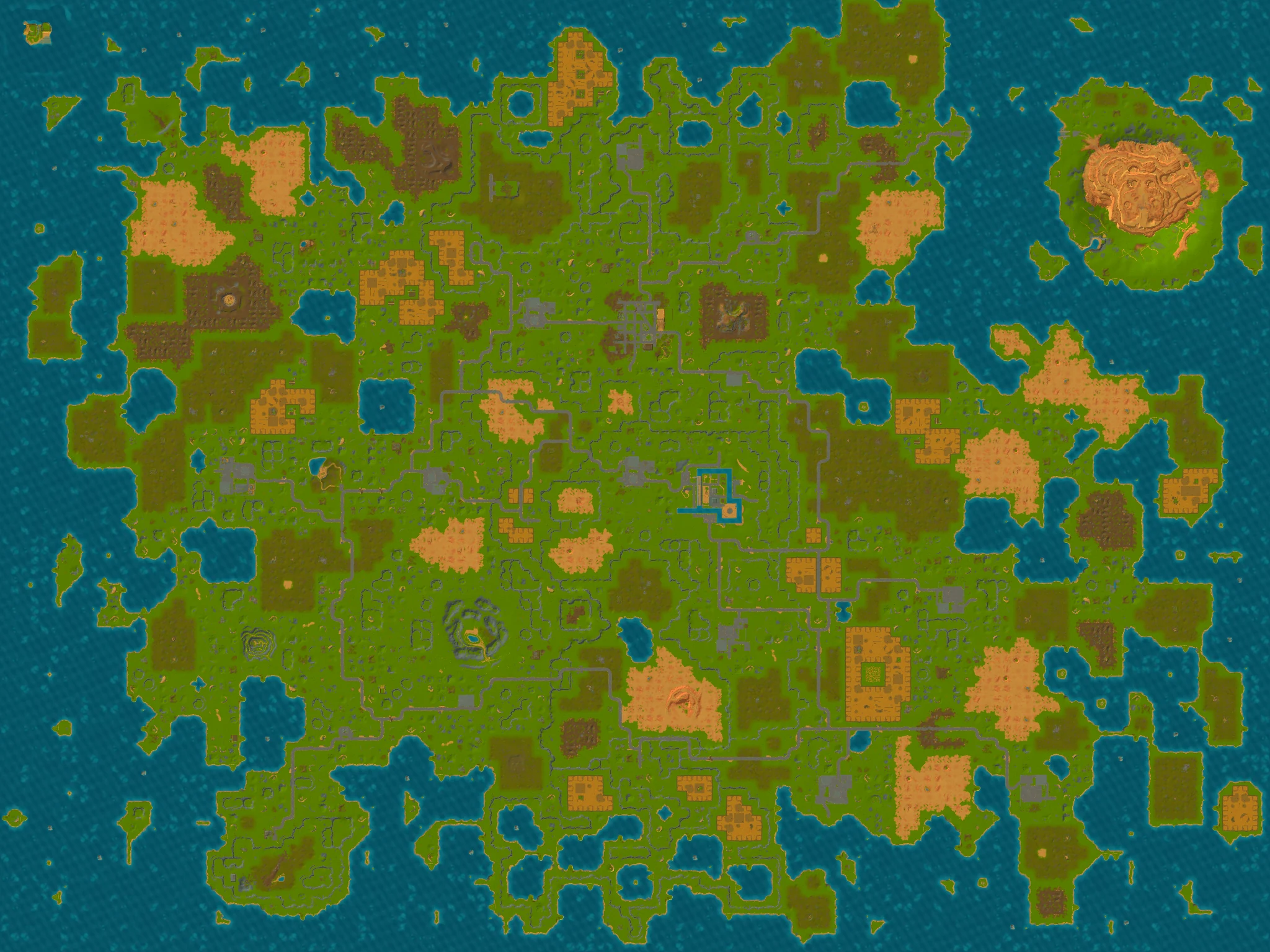
Explore a complete reference world with 14 current location cards, or select a local Survival .db save to render its terrain in your browser. Use the map to compare the Crashed Ship, Mechanic Station, Hideout, Packing Stations, Scrap Garage, Growlabs, and story areas without treating one seed as a universal world.

  • Confirmed Survival locations with exact coordinates
  • World grid, location search, and category filters
  • Load your own save locally to see your world
Open the map

Why mechanics trust this wiki

Useful like a tool, sourced like a database, maintained like a guide.

Built from the actual game files

Every item, recipe, quest, and raid value is extracted and normalized from Scrap Mechanic 1.0 data — not copied from outdated wikis.

Exact where possible, honest where not

Calculators show deterministic results where the game is deterministic and label forecasts where it rolls weighted randomness.

Versioned and revalidated

Data is tied to game build 1.0.0.867 and regenerated on every update, with changes reviewed before publishing.

Free and private by default

No account, no downloads. Blueprint and save analysis runs entirely in your browser.

Start with the answer you need

Current guidance for the decisions most likely to block a new or returning mechanic.

Craftbot icon1.0
Featured guide

Scrap Mechanic Update: Drilling Thunder 1.0 Guide

Scrap Mechanic Drilling Thunder launched free with version 1.0 on July 24, 2026. This Scrap Mechanic update guide covers patch 1.0.1, major features, saves, mods, PC requirements, and data-backed differences from 0.7.

Read the 1.0 guide
Scrap Mechanic 1.0 Quest GuideScrap Mechanic 1.0 Quest Guide46 questsBrowse all 46 current quests with official objectives, exact progression states, rewards, and confirmed follow-up links.View quest

Quick answers for mechanics

Short answers first, with the full guide or tool one click away.

Can I use an old Survival save in Scrap Mechanic 1.0?

No. The official 1.0 release announcement says existing Survival saves are not compatible with the new release. Old Creative saves can be loaded, but important creations should be backed up first.

Read the save compatibility guide
Does the crafting planner account for production batches?

Yes. It rounds requested quantities up to whole recipe batches, carries surplus output forward, expands craftable ingredients, and subtracts the base materials you already own.

Open the crafting planner
Is raid level based on the number of crops?

No. In 1.0, raid pressure is calculated from the crops’ total value, and crop weights vary widely. Any positive value can start the 60-second countdown. The calculator can determine thresholds, level, and bot budget, but the exact enemy mix remains a probability forecast.

Calculate the current raid
Is a blueprint BOM the same as Survival crafting materials?

No. The blueprint analyzer counts parts, block units, entities, joints, controllers, containers, and stored contents for structural auditing. It does not present those structural records as an exact Survival crafting cost, and mod dependencies must be checked separately.

Analyze a local blueprint
What is the difference between “Recipes” and “Used in”?

“Recipes” shows how the current item is produced. “Used in” shows which other recipes consume it. One output may have several crafting or acquisition routes, so the recipe record count can exceed the number of distinct outputs. Choose the route you can actually use before comparing materials.

Browse items and recipes
Which results are exact, and which are only forecasts?

Recipe quantities, output per batch, crafting speed, quest successor links, crop values, and raid thresholds can be determined from current data. Enemy mixes, physics effects, pathfinding, spawn positions, and undisclosed random behavior can only be reported as ranges or probabilities. The tools mark this boundary clearly.

Understand the 1.0 data boundaries

Know what you want to build?

Search the database or turn a target quantity into a material plan.